A look at Enums in Dart and Flutter. Enums (short for Enumerations) are a set of related constants. In this video we will talk all about enums - why you might choose to use enums over just strings or constants alone for example, as well as how to use them with a Switch Case statement and a look at Enhanced Enums.
If you've been watching coding videos before and you have seen someone use the "enum" keyword you might be wondering exactly what they are used for. An "enum" or an "Enumerator" can probably be described in its simplest form as a set of related constants. You can group these constants together for easier access within your application.
Let's take a look at an example. If you want to follow along go to the brower of your choice and open up dartpad.dev. Let's say you're building a project management tool, and each project can have four statuses: Not Started, In Progress, Completed and On Hold. So you go ahead and add your first project which currently has a status of "in Progress". We will create a simple Map like this:
Now in a real world project you would obviously not want to do it this way, you would probably store these in a database. We are going to keep it super simple for this tutorial though. As you see this works fine:
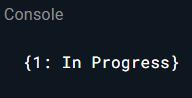
Now let's say 37 projects later you do something like this:
This technically worked as well:
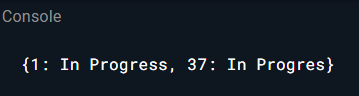
But as you see there IS a typo in this, which might affect any other scripts, reporting or anything else that might be using this map. If you have a script that counts the number of projects that are set to "In Progress" for example, it would show the count as 1, not 2. If you are dealing with thousands of records this could obviously potentially become a huge problem.
So we can use Constants instead. We will create constants for our four statuses at the top, and per Dart's recommendations we will use lowerCamelCase to format them:
And now we can just set the status to inProgress and it's a little easier to keep up with over many records:
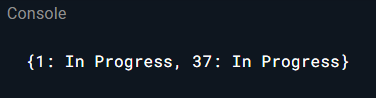
If you make a typo you will get an error now:

The potential problem now though is that if you have a really large project or say four years later you hire a new person, you may not remember what you set all the statuses to or what statuses are available, etc. And yeah, you could of course just look them up, they should be easy to find if you've structured your app in a way that's easy to understand for you. But there IS a way that is a bit more convenient. Enter Enums.
So we will create our projectStatus enum at the top:
(I could not find any documentation on the proper formatting for an enum so if someone knows please leave a comment on the video.)
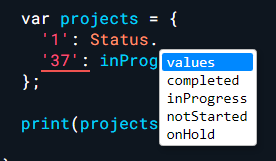
And now no matter where you are in the app you can see exactly what statuses are available to you, which should lower your change of errors when working with the project statuses:
So now your code should look like this:
Which now produces these results:

If you want to just have the name you can use .name like this:
And you can get it closer to what you had before:
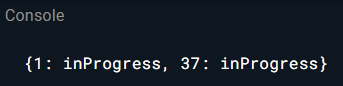
But what if you wanted it to say "In Progress" like it used to? Well there's a few ways you can do that. You can do it with a switch for example. So we will create a new function and call it statusValue. We will put this at the end:
And then call statusValue in our map:
And that will get the results that you are looking for on the First Project:
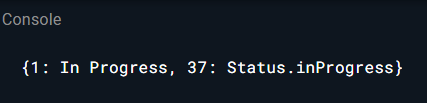
But if you use Enhanced Enums which were introduced in Dart 2.17 you can now do it much simpler. We will make these edits to our Enum:
And then make this modification to the Map:
You will have the results you want on both!

Very long content goes here